

Model
Every form owns a single data object — the Model: each element writes its value under its name, and the result is one canonical store. By default the Model is internal and the form takes care of everything, but you can also externalize it and own the store yourself.
Internal Model
The form doesn't need a store handed to it: it builds one from its schema on mount and exposes it through the Form Context:
<script setup lang="ts">
import { defineSchema, useForm } from '@vueform/ui'

const schema = defineSchema({
  name: { type: 'text', label: 'Name' },
  email: { type: 'text', label: 'Email' },
})

const [MyForm, form$] = useForm({ schema })
</script>

<template>
  <MyForm />
  <pre>{{ form$.data }}</pre>
</template>
The Context exposes the full data API: form$.data and form$.payload to read, form$.set() and form$.update() to write — see the full reference.
For most forms this is all the Model handling you need. Its boundary is the form's lifecycle: the store is created on mount and gone on unmount, and nothing can reach it before the form exists. Crossing that boundary is what externalizing the Model is for.
External Model
To externalize the Model, create a store with useModel and hand it to the form:
<script setup lang="ts">
import { defineSchema, useForm, useModel } from '@vueform/ui'

const schema = defineSchema({
  name: { type: 'text', label: 'Name' },
  email: { type: 'text', label: 'Email' },
  city: { type: 'text', label: 'City' },
})

const model = useModel({ schema }, {
  name: 'John',           // ✅ string | number | null — typed from the schema
  email: true,            // ❌ compile error — not a text value
  ccity?string | number | null                       // 💡 autocomplete
})

const [MyForm] = useForm({ schema }, model)
</script>

<template>
  <MyForm />
</template>
useModel translates the schema to Model shape: each element becomes a key in the Model, typed by its model shape. The second argument accepts a seed of initial values, type-checked against the schema — known keys are offered as autocomplete and wrong value types surface as compile errors, while extra keys are deliberately tolerated, so data carrying more than the form shows (a server row, say) can seed it as-is.
TIP
useModel and useForm depend on setup context, so as long as you are using them inside <script setup> you are fine. If you want to use them outside of it follow this guide.
Other Model Shapes
useForm also accepts plainer Model shapes in place of a useModel instance:
| You pass | The form |
|---|---|
ref | Two-way syncs it, exactly like any v-model. |
reactive | Syncs form changes back into its keys, preserving the object's identity. |
object (plain) | Seeds the initial values — no syncing back. |
These are fine when the form's data is just another piece of component state. What they lack is what useModel adds: none of them is type-checked against the schema, and none carries the Model API.
Every shape can also arrive as a v-model on VfForm — useModel included:
<script setup lang="ts">
import { useModel } from '@vueform/ui'

const model = useModel({}, { name: 'John' })
</script>

<template>
  <VfForm v-model="model">
    <VfText name="name" label="Name" />
  </VfForm>
</template>
This is the route for Inline Forms, which have no useForm to hand a Model to. The first argument stays an empty object there — the form's shape is defined inline by the template, so there is nothing to type the Model against, and typing is what inline usage gives up. The instance still carries the full Model API.
The binding goes one level further down, onto individual elements — whether they sit inside a form or stand alone:
<script setup lang="ts">
import { ref } from 'vue'

const name = ref('John')
</script>

<template>
  <VfText v-model="name" name="name" label="Name" />
</template>
Past this point you have left the Model, though — element binding moves the plain value, so a useModel instance can't be bound here, and VfForm is the only place that attaches one. Each value should also reach exactly one v-model: an element bound inside a bound form would be written from two directions at once.
The Model API
The Model API is a single set of members for managing data:
const model = useModel({ schema }) // external instance…
// …or the internal model: const model = form$

model.data // the reactive data object
model.payload // the data that gets submitted

model.set('email', 'john@example.com') // single value by dot-path
model.update({ name: 'Jane' }) // partial deep-merge
model.clear() // every value back to its null value
model.reset() // back to the initial snapshot

await model.validate() // run the schema's rules
await model.submit() // submit the form
The Internal Model's API lives on the Form Context — form$, or the formReady callback — while the External Model returns the same API directly via useModel.
Attaching The Model
Passing the useModel instance to useForm makes the form attach it. Attachment is not syncing: the form doesn't clone the data or wire up update listeners — it uses it as its own store, so there is one source of truth and nothing to keep in sync.
- Before attachment the instance is yours alone: only your code changes its data, and
submit()runs the instance's own headless flow against itsendpointand submission options. - After attachment the Model is kept in sync with the form for free: whatever is typed into the form is already in
model.data, and whatever youset()is already on screen.model.attachedturnstrueand the form owns submission —model.submit()submits the attaching form with the form's props and UX. The instance mirrors the form while attached, somodel.submitting,model.submits,model.result, and yourmodel.on('success')listeners follow form-driven submits too. There is one flow and one set of counters, never two.
Outliving Components
A Model owned by a Pinia store outlives any component: a form can mount anywhere, attach it, and unmount without losing data. A store is not a component, though, so useModel has no setup context — create the Model from your own instance instead:
import { defineStore } from 'pinia'
import { defineSchema } from '@vueform/ui'
import { vueform } from '@/vueform'

const schema = defineSchema({
  name: { type: 'text', label: 'Name' },
  email: { type: 'text', label: 'Email' },
})

export const useUserStore = defineStore('user', () => {
  const model = vueform.useModel({ schema })

  return { model }
})import { createVueform } from '@vueform/ui/bundle'
export const vueform = createVueform()import { createApp } from 'vue'
import { createPinia } from 'pinia'
import { vueform } from './vueform'
import App from './App.vue'
createApp(App).use(createPinia()).use(vueform).mount('#app')A component that renders a form attaches store.model like any other instance — and because the store never looks for an injection, it works no matter when it's first touched: a router guard before mount, a test, another store.
One caveat: vueform.ts keeps the instance in module scope, which is the right pattern in the browser and the wrong one on an SSR server, where module scope is shared between requests — there, the instance belongs in the per-request app factory, as Cross-Request State explains.
To learn more about using useForm and useModel outside of a setup context, see Outside a Setup Context.
DevTools
The @vueform/devtools Plugin registers a Vueform inspector in Vue DevTools: every mounted form with its elements on the left, the selected node's live data, state, and validation on the right — the same members you'd read from the Context, without writing a single console.log. Install the package:
npm install -D @vueform/devtoolspnpm add -D @vueform/devtoolsyarn add -D @vueform/devtoolsbun add -D @vueform/devtoolsThen register its Plugin:
import { createVueform } from '@vueform/ui'
import devtools from '@vueform/devtools'

createVueform({
  plugins: [devtools()],
})
That's the whole setup — with Vue DevTools installed, the inspector is active whenever NODE_ENV is not production:
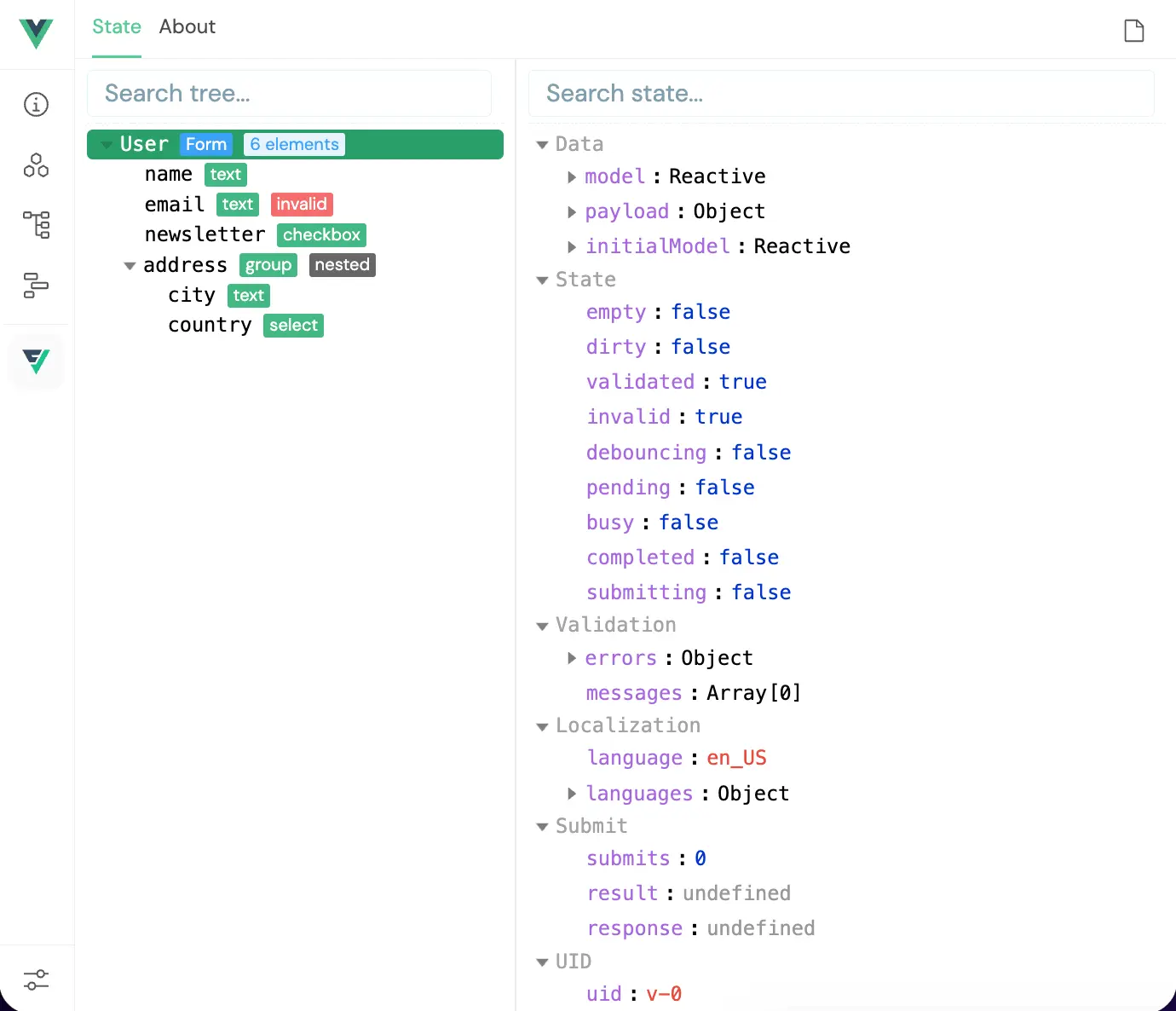
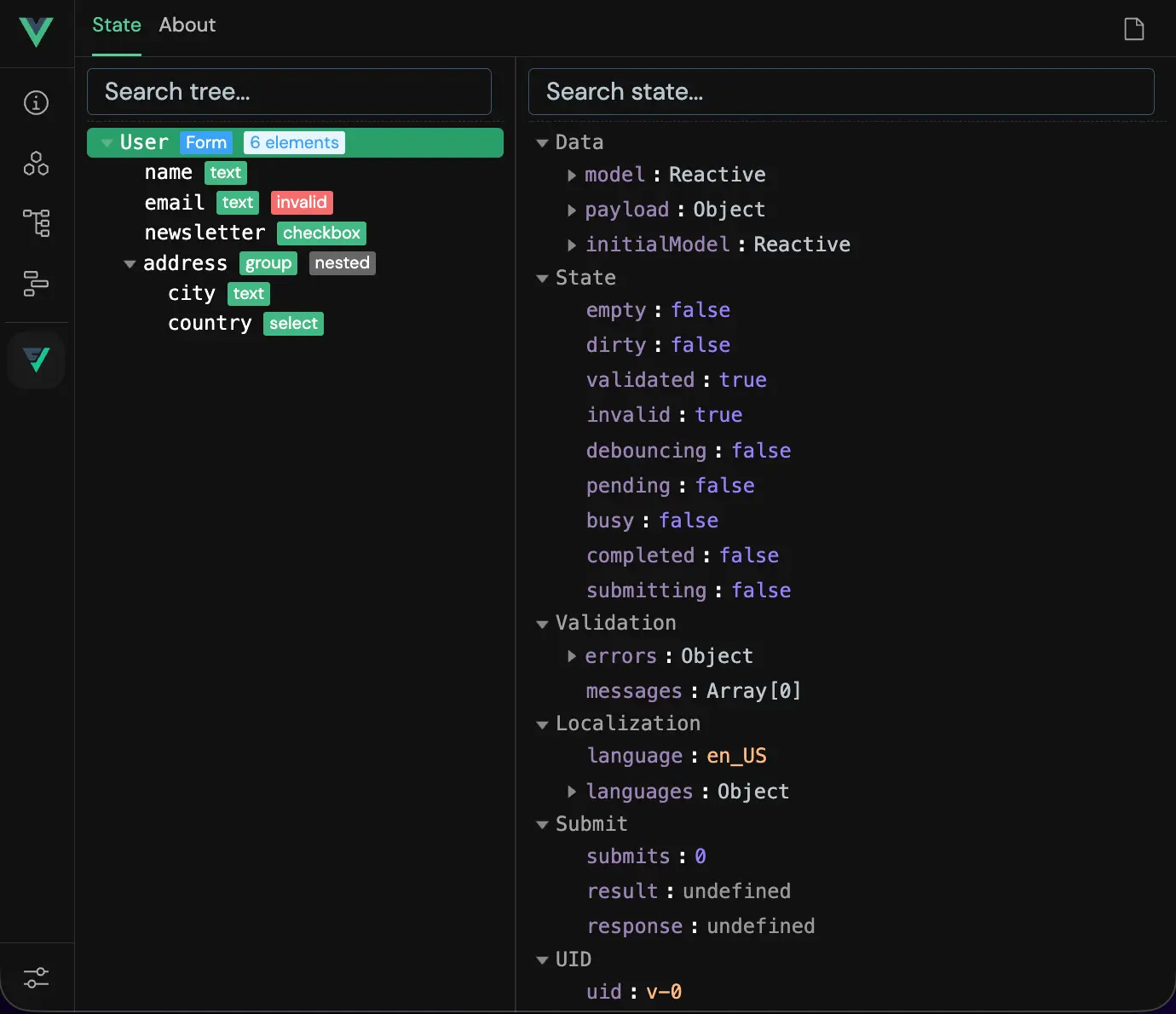
The Plugin is development-only by design: production builds exclude the package entirely, so registering it unconditionally is safe.